✦ macOS text expander

Type less.
Say more.

Typexp lives in your menu bar and expands short abbreviations into full text — instantly, in any app.

$4.99 · One-time purchase · No subscription

Requires macOS 14 Sonoma or later
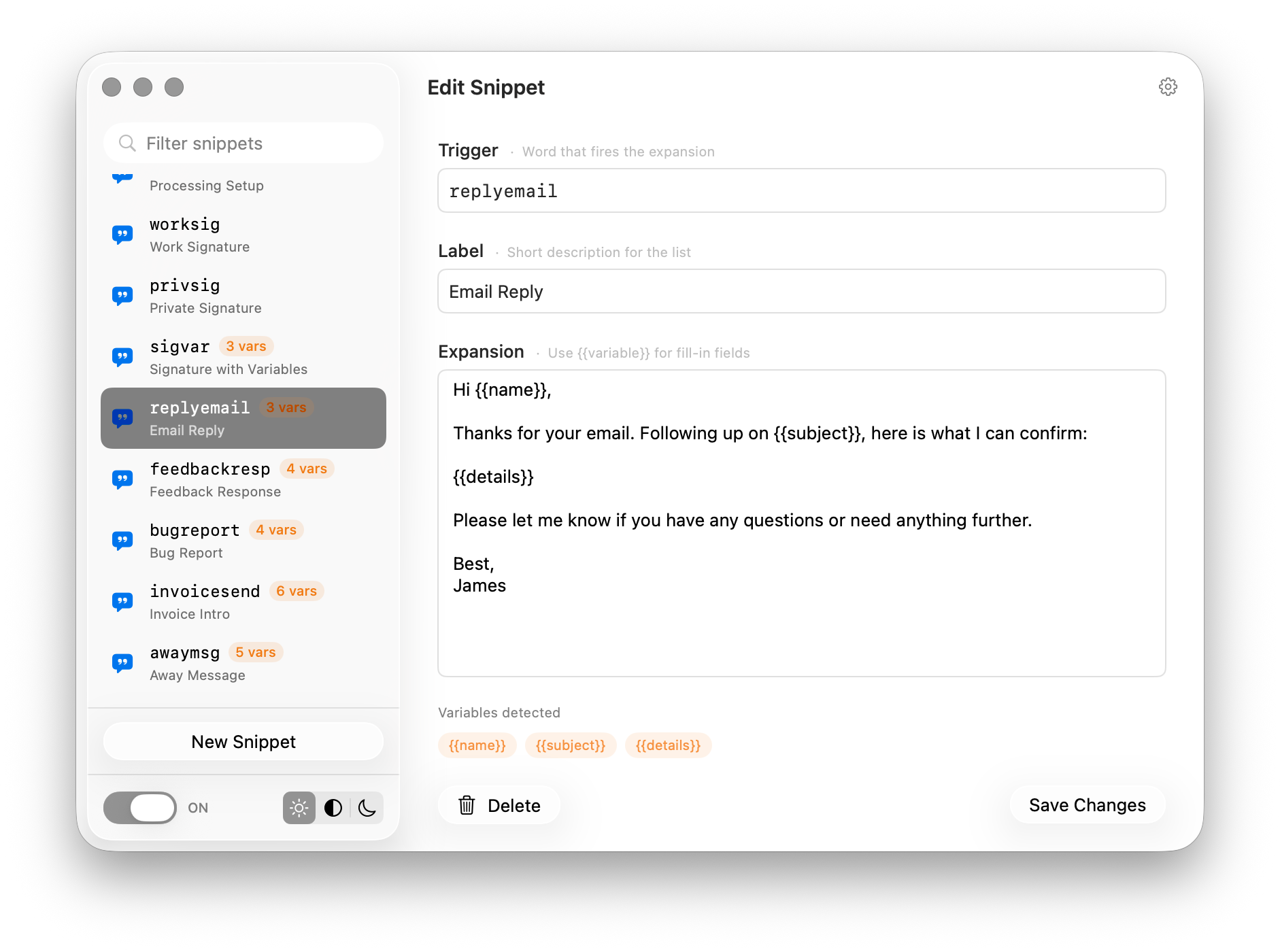
Typexp main window Fill In Variables panel

Always there

Lives in your menu bar.

One click to see your recent snippets, toggle expansion, or open settings.

Finder File Edit View Go Window
9:41
Poject Enquiry projectreply
Work Signature sigwork
Failed Registration failedreg
Private Signature sigpriv
Advertising Enquiry adreply
Settings
Quit Typexp
⌘Q

Features

Everything you need.
Nothing you don't.

A focused, lightweight tool that stays out of your way until you need it.

Instant expansion

Type your trigger and press Space or Return. Typexp replaces it in milliseconds — emails, replies, code snippets, anything you type repeatedly.

📝

Fill-in variables

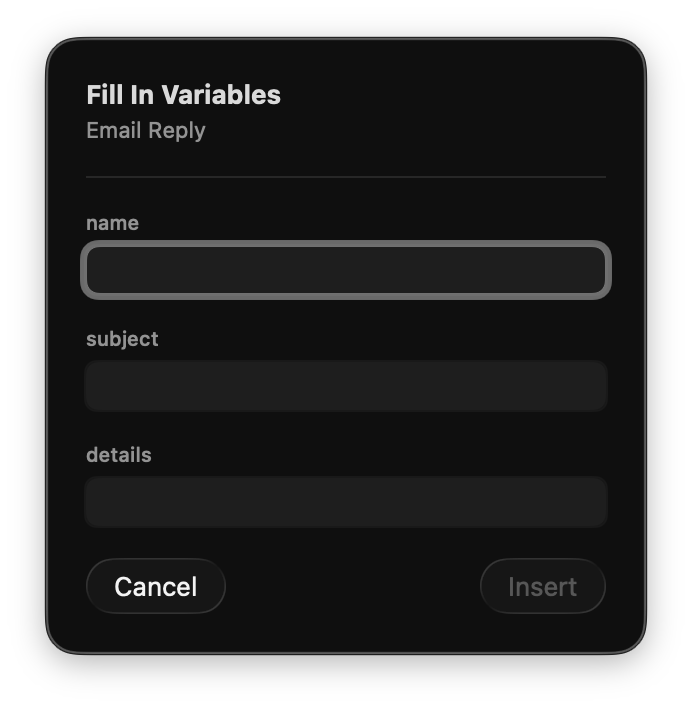
Use {{variable}} placeholders in your snippets. A sleek panel pops up asking you to fill in the blanks before inserting.

☁️

iCloud sync

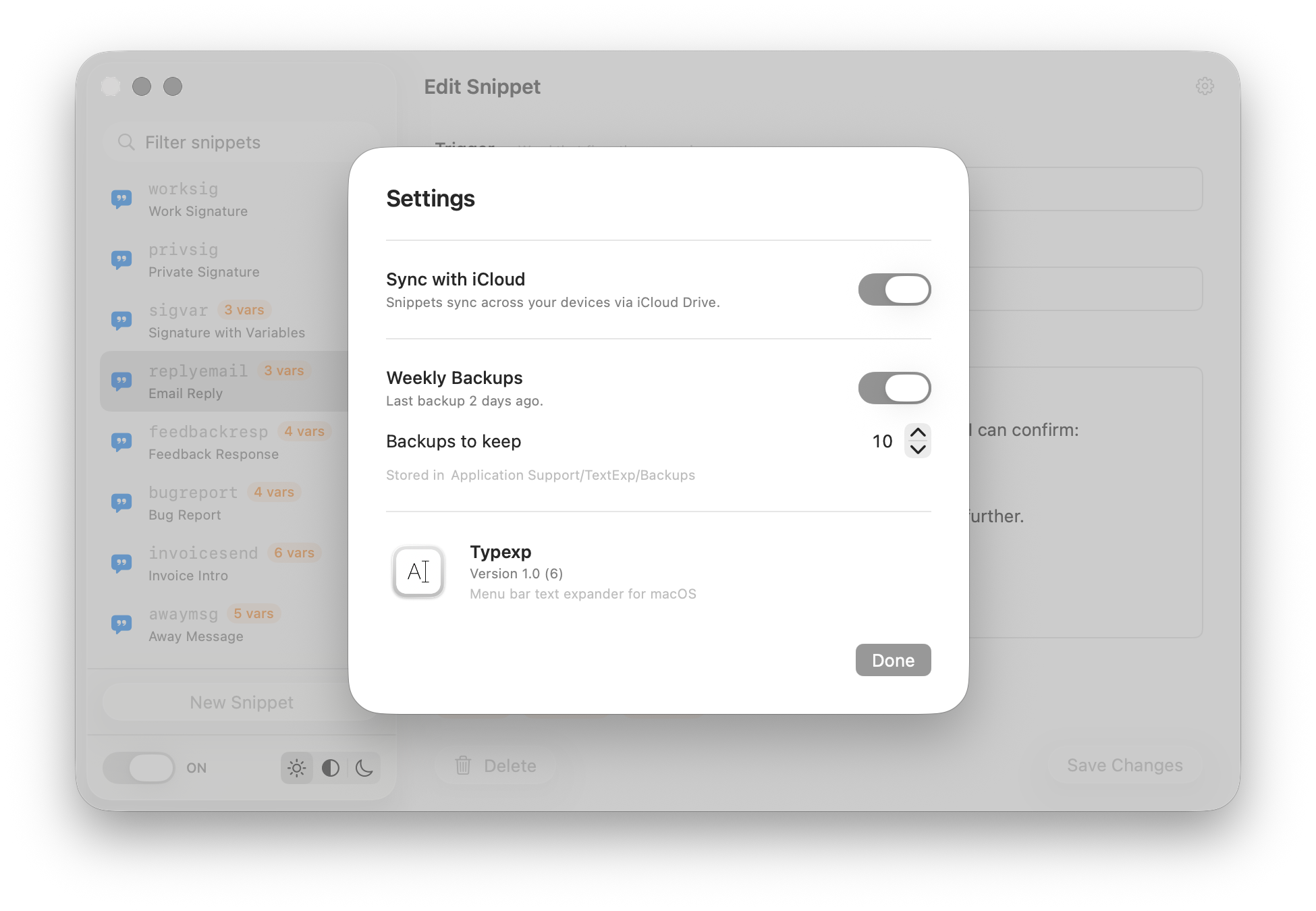
Enable iCloud sync and your snippets appear on every Mac you own — automatically, with no manual export or import.

🔒

Sandboxed & private

Fully App Store sandboxed. Your snippets never leave your Mac unless you turn on iCloud. No analytics, no tracking.

💾

Automatic backups

Weekly backups to Application Support keep a rolling history of your snippets. Restore any version at any time.

🎨

Liquid Glass design

Beautiful macOS 26 Tahoe glass aesthetics throughout, with graceful fallbacks for macOS Sonoma and Sequoia.

✂️

Save from anywhere

Select any text, right-click, and choose Create Typexp Snippet from the Services menu. Opens straight to a new snippet with the text already filled in.

🕐

Recent snippets

Click the menu bar icon to see your 5 most recently used snippets. Click any to copy it instantly — or fill in variables if the snippet needs them.

🌍

Any language

Save snippets in any language — Japanese, Arabic, Chinese, emoji, or mixed scripts. Typexp stores and expands exactly what you type, no configuration needed.

Backup & Sync

Your snippets,
everywhere.

Enable iCloud Drive sync and your snippets appear on every Mac you own. Automatic weekly backups keep a rolling history so you can always recover.

Typexp — iCloud sync and backups settings

How it works

Up and running in minutes.

Four steps and you're expanding text everywhere on your Mac.

01

Install & permit

Download from the App Store and grant Accessibility permission in System Settings. Typexp will guide you through it.

02

Create a snippet

Click the menu bar icon, open Settings, and add a snippet. A short trigger like sigwork for your email sign-off, or rfc for a React component stub.

03

Type & expand

In any app, type your trigger and press Space or Return. Watch it expand instantly into the full text you defined.

04

Add variables

Wrap words in {{curly braces}} to turn them into fill-in fields. Perfect for templates, emails, and code.

Get Typexp

Your keyboard
just got smarter.

Available now on the Mac App Store.

Download on the App Store

$4.99 · One-time purchase · No subscription

Requires macOS 14 Sonoma or later · Sandboxed